Kategorien
Mysql,MariaDB

How to change mysql root password on Linux

  1. Stop mysql Service
    sudo systemctl stop mysql

tep by step instructions:

  1. Start off by stopping the MySQL service:
    sudo systemctl stop mysql
  2. Now, we need to restart the MySQL service but without password privileges being granted. Note that the & at the end of the command just runs the service in the background and will allow us to continue using the current terminal.
    sudo mysqld_safe --skip-grant-tables &
  3. You’ll now be able to connect to the MySQL server as root, without specifying a password: mysql -u root
  4. Now, reset the root password, but first flush the privileges to reload the grants:mysql>
    FLUSH PRIVILEGES;
    mysql> use mysql;
    mysql> update user set plugin=“mysql_native_password“ where User=’root‘;
    mysql> ALTER USER ‚root’@’localhost‘ IDENTIFIED BY ’new_password_here‘;
    mysql> FLUSH PRIVILEGES;
    mysql> quit;
  5. Finally, shut down the MySQL service and start it back up.$ sudo systemctl restart mysql
Kategorien
Docker

Docker – alle Images und Container löschen

Achtung: Die Folgenden Kommandos stoppen & löschen alle Docker-Container und Images auf dem Rechner. Es gibt keine Möglichkeit, diese wiederherzustellen.

#!/bin/bash
# Alle Container löschen
docker rm $(docker ps -a -q)
# Alle Abbilder/Images löschen
docker rmi $(docker images -q)

Kategorien
Allgemein CSS

SVG

The implementation in CSS or with an collection of SVGs in a sprite file

Implementation in CSS

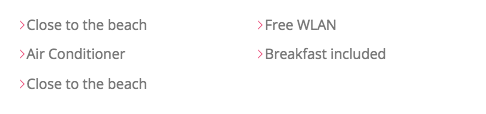
1. We create a ::before Element with background-color

 &__item::before{
        content: "";
        display: inline-block;
        height:1rem;
        width: 1rem;
        fill: var(--color-primary);

        background-color: var(--color-primary);   
    }

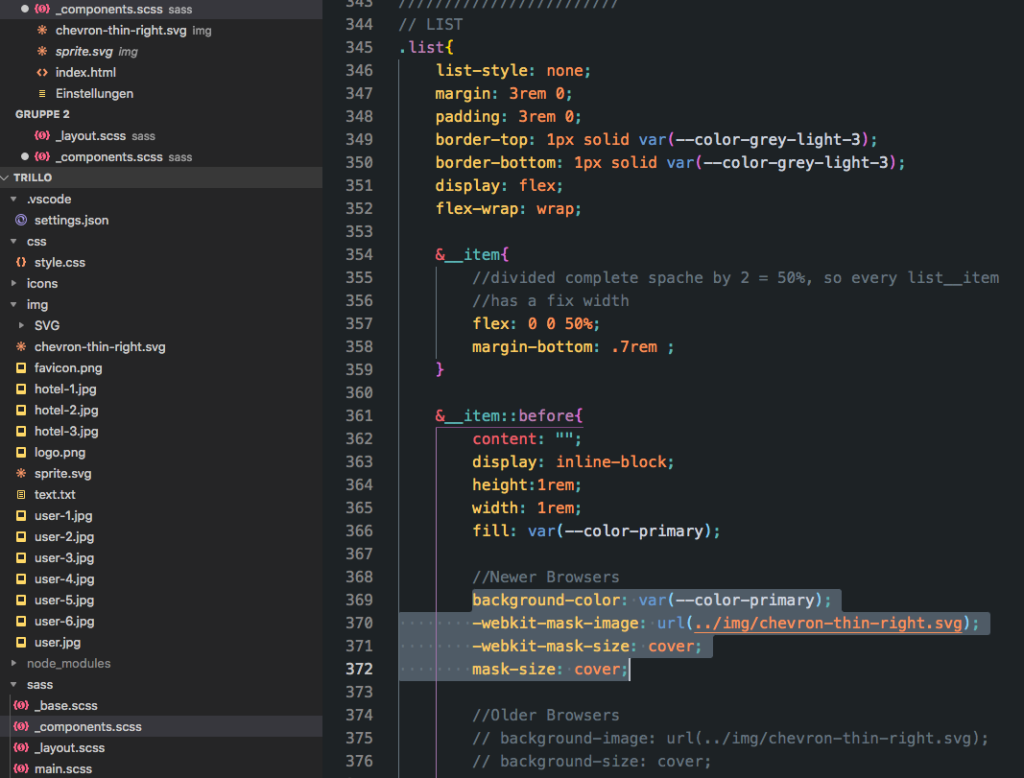
2. We mask the SVG, so only the SVG will appear in the background-color
&__item::before{
        content: "";
        display: inline-block;
        height:1rem;
        width: 1rem;
        fill: var(--color-primary);

        background-color: var(--color-primary);  
        
        //Newer Browser
        // -webkit-mask-image: url(../img/chevron-thin-right.svg);
        // -webkit-mask-size: cover;
        // mask-size: cover;

        //Older Browsers
        // background-image: url(../img/chevron-thin-right.svg);
        // background-size: cover;
    }
////////////////////////
// LIST
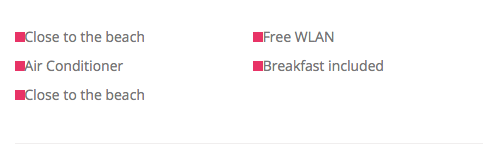
.list{
    list-style: none;
    margin: 3rem 0;
    padding: 3rem 0;
    border-top: 1px solid var(--color-grey-light-3);
    border-bottom: 1px solid var(--color-grey-light-3);

    display: flex;
    flex-wrap: wrap;

    &__item{
        //divided complete space by 2 = 50%, so every list__item
        //has a fix width
        flex: 0 0 50%;
        margin-bottom: .7rem ;
    }

    &__item::before{
        content: "";
        display: inline-block;
        height:1rem;
        width: 1rem;
        fill: var(--color-primary);

        //Newer Browsers
        background-color: var(--color-primary);
        -webkit-mask-image: url(../img/chevron-thin-right.svg);
        -webkit-mask-size: cover;
        mask-size: cover;

        //Older Browsers
        // background-image: url(../img/chevron-thin-right.svg);
        // background-size: cover;

       
    }

}

Implementation as Sprite file

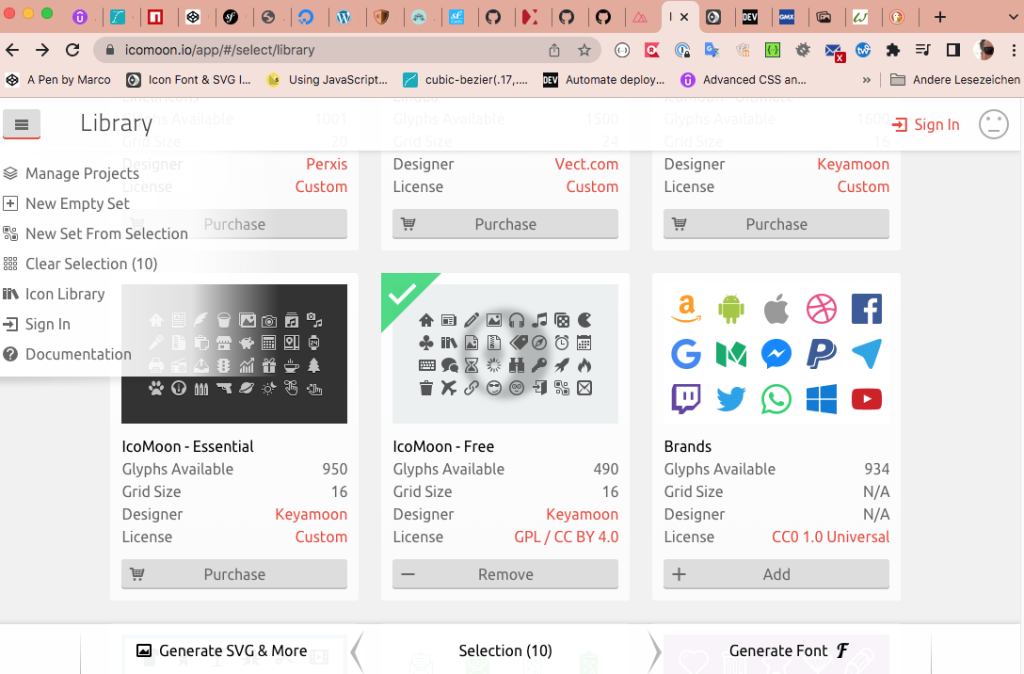
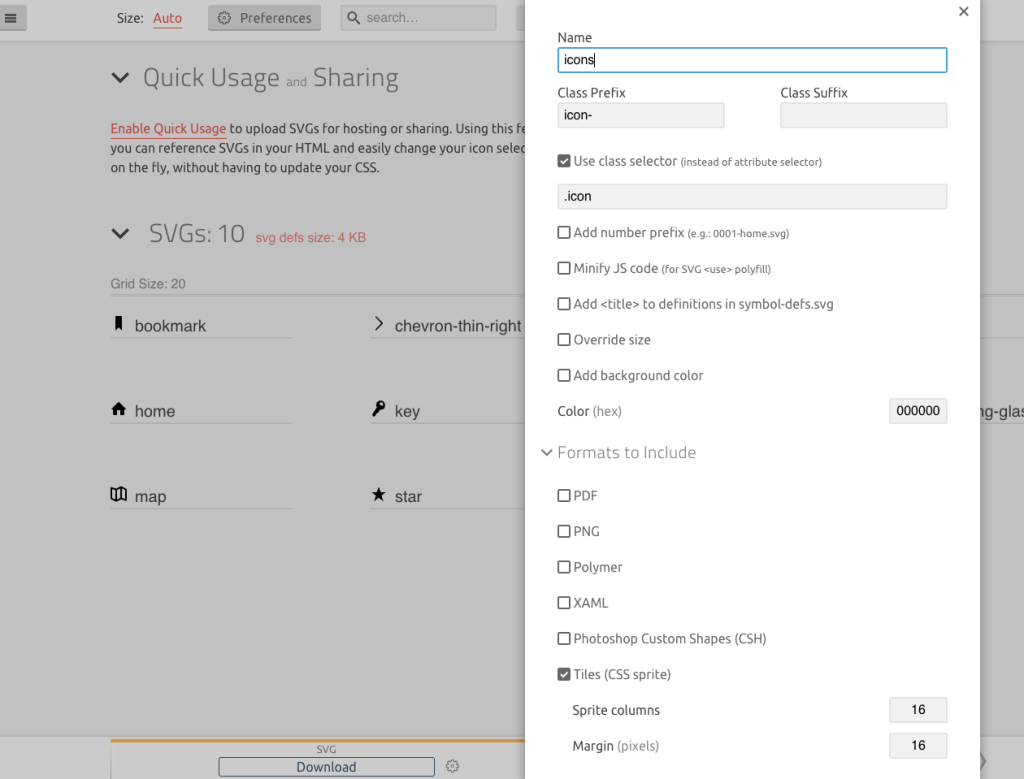
Create a sprite file with icomoon.io and export it as sprite file.

1. Create svg Element in html document

       <div class="overview__stars">
            <svg class="overview__icon-star">
              <use xlink:href="img/sprite.svg#icon-star"></use>
            </svg>
            <svg class="overview__icon-star">
              <use xlink:href="img/sprite.svg#icon-star"></use>
            </svg>
            <svg class="overview__icon-star">
              <use xlink:href="img/sprite.svg#icon-star"></use>
            </svg>
            <svg class="overview__icon-star">
              <use xlink:href="img/sprite.svg#icon-star"></use>
            </svg>
            <svg class="overview__icon-star">
              <use xlink:href="img/sprite.svg#icon-star"></use>
            </svg>
        </div>

2. Set Element size and fill with color

    &__icon-star{
        width: 1.75rem;
        height: 1.75rem;
        fill: var(--color-primary);
    }

3. All 5 SVG Elements filled with color

Kategorien
Allgemein CSS FlexBox

Flex-Box Tricks

display:flex instead inline-block

To use the exact size of element you can use better display:flex instead inline-block.
Standard inline-block, in this case we have some space under the element
display:flex, only use element size

Use margin-right:auto sometines helpfully instead using justify-content

Next Example, here margin:auto pushed all the way to the right side. If we are using display:flex and justify-content in parent element you can do same things, but sometimes wie have more elements and then space-arounding, space-between doesnt help for exactly positioning.

Kategorien
CSS FlexBox

Flex-Box

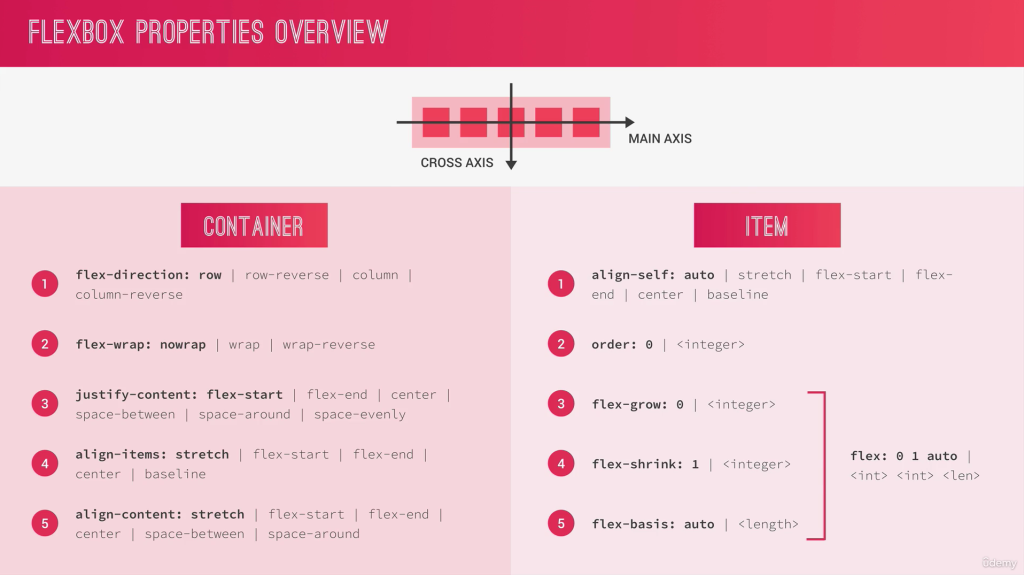
Container Properties

Main-Axis: set the direction of elements
Cross-Axis: set the position of elements

Flex-Container

Direction

display: flex
flex-direction: row (x axis from left to right)
flex-direction: row-reverse (skip direction on x axis from right to left)
flex-direction: column;

Container Elements on X-Axis

//Justify Elements in Container
justify-content: center;
center in Container
flex-start
flex-end

Spaces between the same

Same Space between Elements no space on left/right conter border

//Justify Elements in Container
justify-content: space-between

Spaces around 1 and double Size inside

Doubles Spaces between inside Elements

//Justify Elements in Container
justify-content: space-around

Spaces overall equal

//Justify Elements in Container
justify-content: space-evenly

Container Elements on Y-Axis

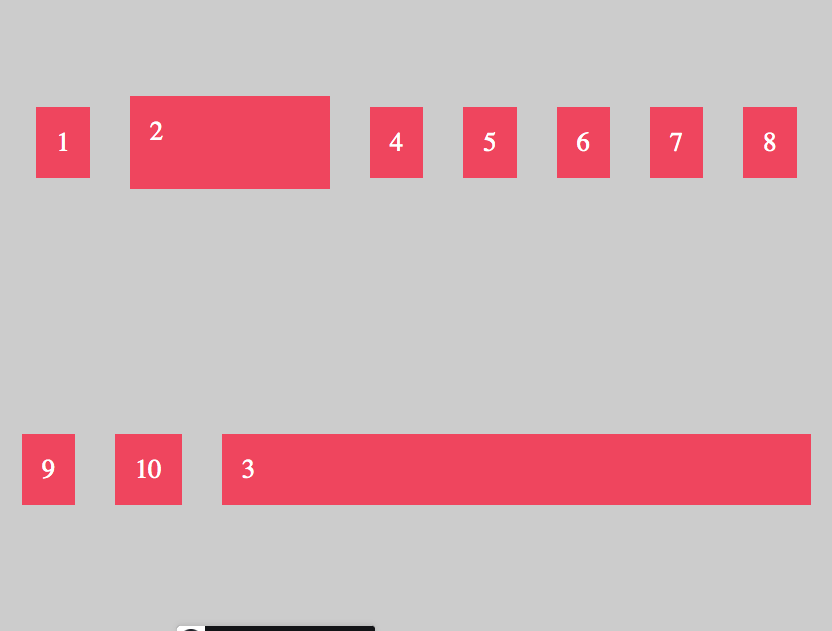
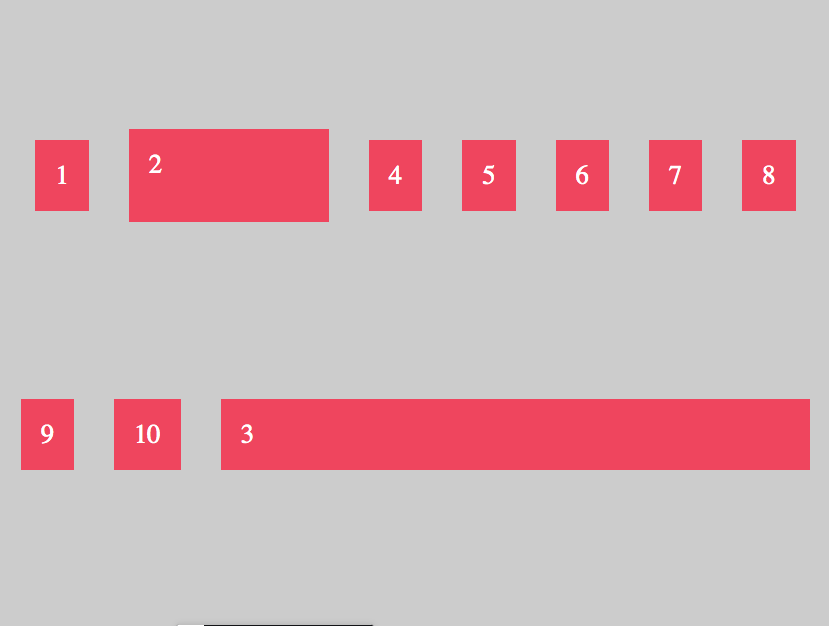
Centering on Y-Axis on the biggest Element here Number 2,

align-items: center
All Elements centered
align-items: flex-start
All Elements are at the beginning Y-Axis with flex-start
align-items: flex-end
All Elements are at the end of Y-axis with flex-end
align-items: stretch
All Element wiil stretch
align-items: baseline
All Elements will along the „basline – TextLine“ orientated. Imagine this yellow Line.

With flex-direction „column“, the Main-Axis and Cross-Axis will changed

flex-direction: column;
align-items: center;

With „column“ the Main-Axis is no longer X, now its Y-Axis. Main Axis now from top to bottom (flex-direction:column) and with the positioning will orientated on Cross Axis (align-items.

flex-direction: column;  //Main-Axis Y from top to bottom
align-items: flex-start; //Cross-Axis X beginning of X Axis
flex-direction: column;  //Main-Axis Y from top to bottom
align-items: flex-end; //Cross-Axis X at the end of X Axis

Flex-Items

Property align-self (flex-item) will override the positioning of property align-items (flex-container)

//flex-container
flex-direction: row
align-items: center

//flex-item
.item4{
align-self: flex-end   // only this element will set at end
}

.item2{
height: 130px;   
}

//flex-item
.item4{
align-self: stretch   // only this element will stretched
}

.item2{
height: 130px;   
}

Order Elements

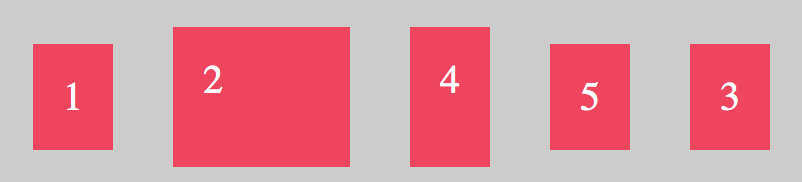
All Elements has initially order number 0

.item4{
align-self: flex-end;
order: -1;
}
Item 4 now hightest order number

Flex-Grow

Flex-Grow all Elements

That lets grow all elements grow up to maximum

<div class="container">
  <div class="item">1</div>
  <div class="item i2">2</div>
  <div class="item">3</div>
  <div class="item i4">4</div>
  <div class="item">5</div>

</div>
.item{
  background-color: #f1425b;
  padding: 30px;
  margin: 30px;
  font-size:40px;
  color: #fff;
  flex-grow: 1;
}

Flex-Grow Single Element

Double Size

//double size of item
.item2{
flex-grow: 2;
}
//tripe size of item
.item2{
flex-grow: 3;
}

Tipp: You can also write flex: 3 instead flex-grow: 3

Example only Single Element with flex-grow

.item{
  background-color: #f1425b;
  padding: 30px;
  margin: 30px;
  font-size:40px;
  color: #fff;
 // flex-grow: 1;    //or flex: 1 the same
}
.item3{
 flex: 1
}
remember flex-grow takes all the space it can grow up, only element 3 has flex-grow property

Flex-Basis

.item{
  background-color: #f1425b;
  padding: 30px;
  margin: 30px;
  font-size:40px;
  color: #fff;
 // flex-grow: 1;    //or flex: 1 the same
}
.item2{
 flex-basis: 20%;   //or in px
}
.item3{
 flex: 1;
}

Flex-Shrink

With Shrink you can prevented that elements will shrink.
Element 3 has flex-grow so that has ever the full maximum of space, and element 2 has 300px. If i resize window/browser window, the size of element 2 stay fix.

.item3{
 flex: 1;
}

.item2{
 flex-basis: 300px;   //or in %
 flex-shrink: 0;    //dont shrink element

 //alternative like obove  
 flex: 0 0 300px    
 // 0 (dont growup) 0 (dont shrink) 300px (flex-basis)
}

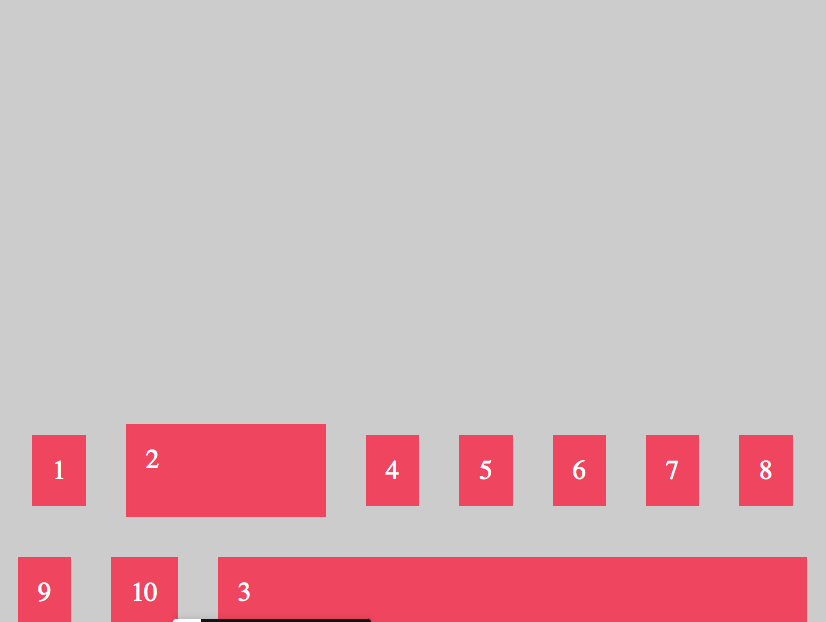
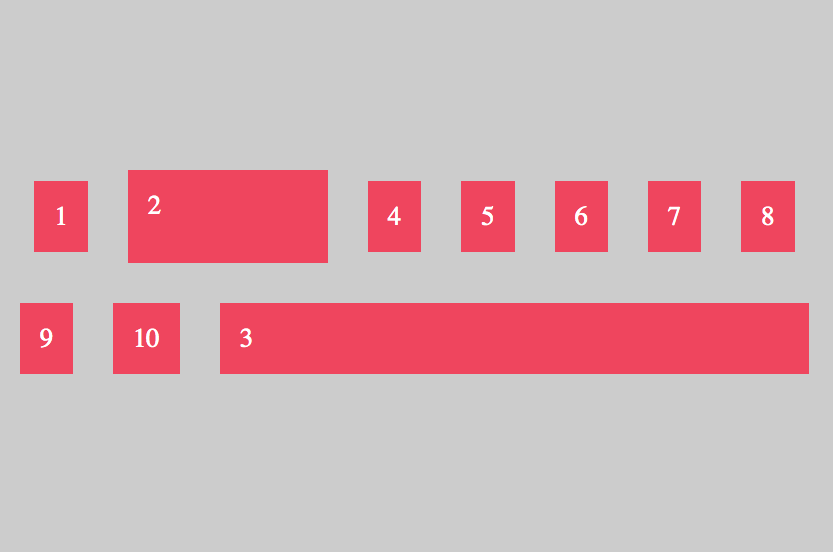
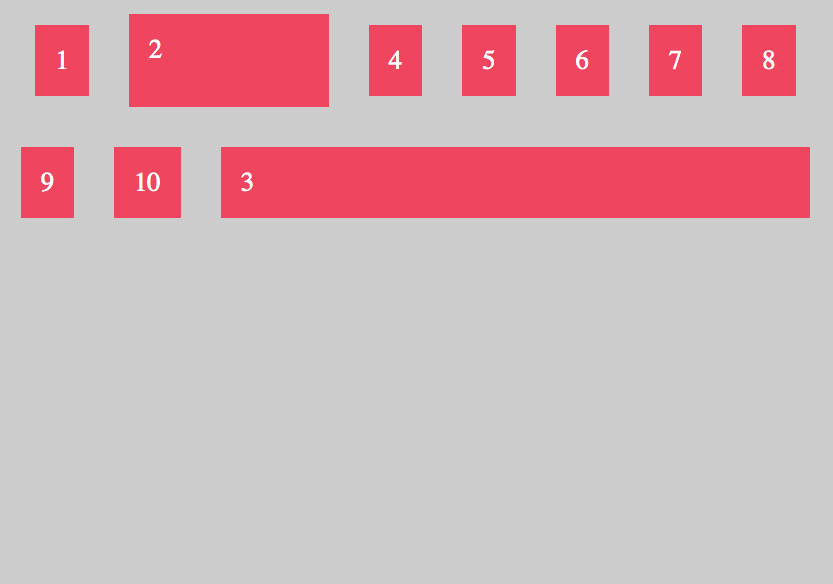
Align Content in Container

To align all rows or columns in Container you can use align-content.

.container{
  display:flex;
  flex-direction: row;
  justify-content: center; 
  align-items: center;
  
  //flex-start, center, space-between, space-around
  align-content: flex-end;
 
  background-color: #ccc;
  padding: 10px;
  flex-wrap:wrap;
  height: 1000px;
}
align-content: flex-end;
align-content: center;
align-content: flex-start;
align-content: space-around;
align-content: space-evenly
Kategorien
Docker

Is it safe to clean docker/overlay2/

I got some docker containers running on Centos 8, the /var/lib/docker/overlay2 folder grows very fast in disk size.

Docker uses /var/lib/docker to store your images, containers, and local named volumes. Deleting this can result in data loss and possibly stop the engine from running. The overlay2 subdirectory specifically contains the various filesystem layers for images and containers.

To cleanup unused containers and images, see docker system prune. There are also options to remove volumes and even tagged images, but they aren’t enabled by default due to the possibility of data loss:

BE CAREFUL, docker volume prune will remove all your data that was persisted from docker to host disk…….. system prune is safe though

docker system prune -a && docker volume prune

Quelle: https://stackoverflow.com/questions/46672001/is-it-safe-to-clean-docker-overlay2

Kategorien
Allgemein Vue

Custom Directive

Eigene Directive (focus), die nach dem die App fertig gemountet wurde den focus auf Elemente setzt.

# /directive/focus.js
export default {
    mounted(el){
        el.focus();
    }
}

Globale Einbindung der Directive

import { createApp } from 'vue'
import App from './App.vue'

import logger from './mixins/logger';
import focus from './directive/focus';

const app = createApp(App);
app.mixin(logger)
app.directive('focus',focus)
app.mount('#app')

Verwendung der Directive

Bezeichner v- voranstellen

 <input
      type="text"
      class="form-control"
      placeholder="Neue Aufgabe"
      v-model="content"
      v-focus
    />

Kategorien
Vue

Daten direkt von Elternkomponente an Enkel senden (provide/inject)

Wir können somit Daten über mehreren Komponenten direkt einbinden.

Nachteil:
* das Kindelement weiss nicht woher diese Daten kommen
* die inject-Daten sind nicht reaktiv
* provide / inject nur nutzen, wenn mit statischen Daten gearbeitet wird, die sich nicht reactiv aktualisieren
* Nutzung eines stores erübrigt das Problem

#Elternkomponente, Bereitstellung der Daten
export default {
  name: "App",
  components: {
    StatusCard,
  },
  provide:(){
    maxNumbersOfChars: 255,
    
  },
#Enkel(Kind)komponente, Daten-Injection
export default {
  name: "NewTask",
  inject: ["maxNumbersOfChars"],
  computed: {
    numberOfCharsLeft() {
      return this.maxNumbersOfChars - this.content.length;
    },
  },
Kategorien
Vue

Daten von Kind an Elternkomponente ( Emit)

Wenn Daten als Props von der Root-Komponente an die unteren Kind-Komponenten übergeben werden und die Datenhaltung in der Elternkomponente stattfindet, können die Daten bspw. über eigene Ereignishandler hochgereicht werden, um diese hinzuzufügen.

Bspw.
Elternkomponente -> Kind -> Enkelkind
APP.vue -> StatusCard.vue -> NewTask.vue

Um Daten von NewTask an APP.vue ( Datenhaltung) zu übertragen, nutzen wir:

this.$emit('custom-ereignis',payload);

In der höheren Komponente können wir das Ereignis dann abfangen.

<NewTask v-if="newTasks" @custom-ereignis="createNewTask"></NewTask>

#NewTask.vue
<button class="btn btn-secondary" @click="submitTask">Eintragen</button>

export default {
emits: {
    "new-task": (task) => {
      if (task.content === "") {
        console.warn("Der Content sollte nich leer sein");
        return false;
      }
      return true;
    },
  },
 data() {
    return {
      content: "",
    };
  },
  methods: {
    submitTask() {
      this.$emit("new-task", {
        //Payload
        content: this.content,
      });
      this.content = "";
    },
  },
}

#StatusCard.vue
<NewTask v-if="newTasks" @new-task="createNewTask"></NewTask>

 emits: {
    "new-task": (task) => {
      if ("status" in task === false) {
        console.warn(
          "StatusCardComponent: Jede Aufgabe muss ein Status-Attribut haben."
        );
export default {
  name: "StatusCard",
  components: {
    Task: OneTask,
    NewTask,
  },
  emits: {
    "new-task": (task) => {
      if ("status" in task === false) {
        console.warn(
          "StatusCardComponent: Jede Aufgabe muss ein Status-Attribut haben."
        );
        return false;
      }
      return true;
    },
  },
  props: {
    // card: {
    //   type: Object,
    // },
    title: String,
    titleClasses: String,
    status: Number,
    newTasks: Boolean,
    tasks: {
      type: Array,
    },
  },
  computed: {
  },
  methods: {
    createNewTask(task) {
      console.log(task);

      // Nicht möglich, da task als PROP übergeben wurde und Urheber der Daten ist App.vue
      // this.tasks.push(task);

      task.status = this.status;
      this.$emit("new-task",task);
    },
  },
};
</script>

Kategorien
Allgemein Vue

MIXINS

  • besitzt das mixin gleiche Attribute oder Methoden, wie auch die Komponente, werden diese zusammengeführt
  • bei gleichen Methodennamen in Mixin und Komponente hat die der Komponente Vorrang und die mixin-Methode verfällt
    Methodenname daher entsprechend anpassen
  • Life-Cycle Hooks (mounted) haben in den Mixins Vorrang, dann erst die Hooks aus der Komponente

LOKALE EINBINDUNG

# /mixin/logger.js  - mounted und methods
export default {
    mounted(){
        this.writeLogEntry(`${this.$options.name}-Component vollständig geladen`);
    },
    methods: {
        writeLogEntry(text){
            console.log(text);
        }
    }
}
#App.vue - verwendet mixin und hat eigene method und mounted
export default {
  name: "App",
  mixins: [logger],
  components: {
    StatusCard,
  },
  mounted(){
    console.log("APP Komponente vollständig geladen");
  },

GLOABALE EINBINDUNG

#main.js
import { createApp } from 'vue'
import App from './App.vue'

import logger from './mixins/logger';

const app = createApp(App);
app.mixin(logger)
app.mount('#app')